IPTVUK BLOG • PUBS GUIDE
IPTV for Pubs in the UK: Showing Live Sport the Right Way (2026)
A pub lives or dies on its big match nights, and the television setup is part of the business — not an afterthought. IPTV can give a pub every live match on several screens for a fraction of a traditional commercial sports package, but only if the setup and the paperwork are both right.
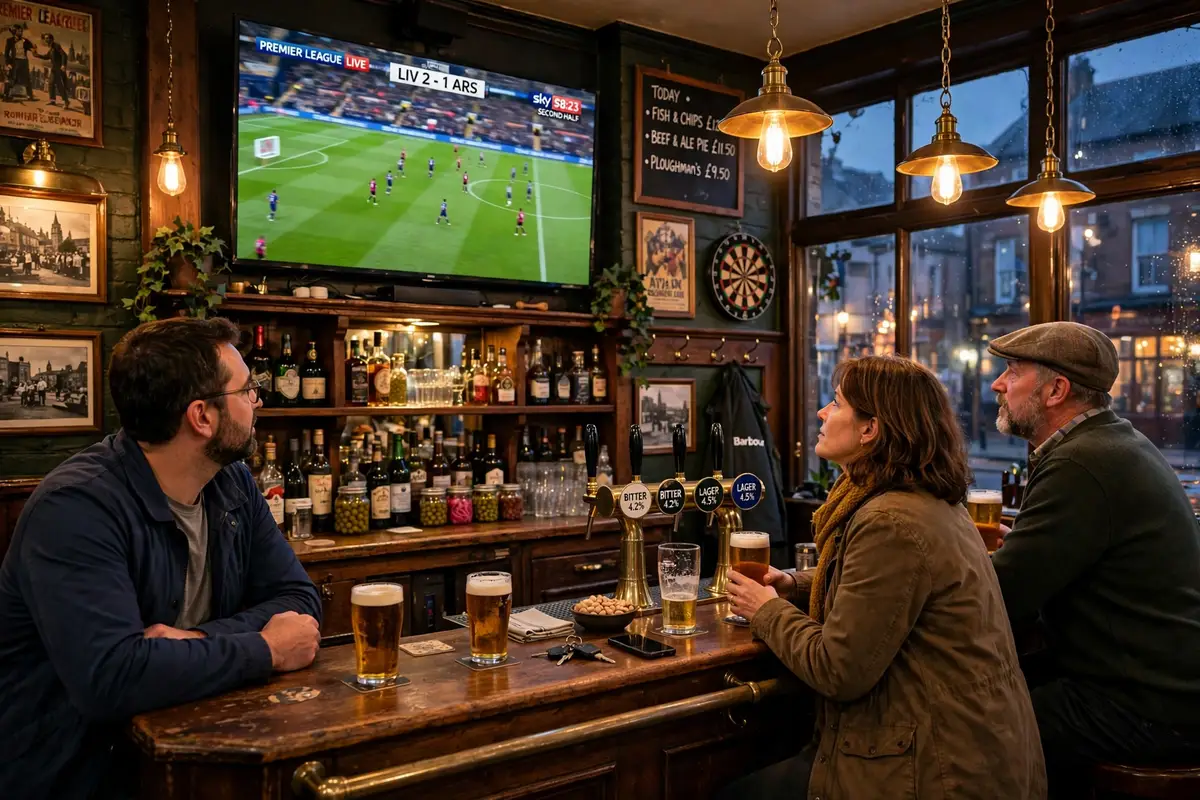
The Short Answer: IPTV for Pubs in the UK
Quick answer: IPTV for pubs means live sport on multiple screens, a full TV guide with catch-up, and a picture that never freezes during a big match. Before you switch, sort the licensing: showing live sport to customers needs a commercial viewing agreement from the rights holder — a home subscription does not cover it. Get that right, and IPTVUK’s 12-month plan at about £4.17 a month covers two screens, with more connections available on request.
Key points:
- Reliability first: a frozen screen on derby day costs more than any subscription saves.
- Licensing: showing live sport to customers needs a commercial viewing agreement — sort it before you switch.
- Connections: two screens need two connections; plan the connections before the first match.
- Test first: test the service free at peak time, on the pub’s own broadband, before a big night.
Checked on 23 November 2026.
Quick facts about IPTVUK
- Channels: 55,000+ live channels, 195,000+ films and series
- Picture quality: 4K and Full HD with Anti-Freeze 9.1
- Catch-up: 7-day catch-up on the guide
- 12-month plan: 2 connections, about £4.17 a month
- Support: WhatsApp: +44 7735 089156
What does a pub actually need from its TV service?
A pub’s television has a harder job than a living room’s. It runs for twelve hours a day, it switches between the early kick-off, the 3pm games and the evening match, and it has to work in front of a room full of people who will walk out if the screen freezes. The four things that matter are reliability at peak time, the right matches on the right channels, enough connections for every screen, and a guide the staff can use without a manual.
Reliability comes first because a pub cannot rewind a live goal. Anti-Freeze technology and a provider with real server capacity matter more here than in a home, where one frozen minute is an annoyance and in a pub is a lost evening. The channel list matters second: your regulars follow specific teams and competitions, so check your fifty channels are there before you check the other 54,950. See our best IPTV for football guide for what to test on a match night.
The licensing question: sort it before you switch
This is the part no pub can skip. Showing live television to customers is a commercial showing, and it needs the right agreement: a residential TV subscription does not cover showing sport to a room full of paying customers. The rights holder for the competition — Sky Business or TNT Sports for most UK football — sells commercial viewing agreements for pubs, and the price depends on your rateable value. You also need a TV licence for the premises to show live TV at all.
This article is general information, not legal advice, and the rules change — but the principle does not: sort the commercial agreement with the rights holder first, then choose the technology that delivers the channels. A pub that gets the licensing right and then picks a reliable IPTV service has the best of both: the matches its regulars want, on screens that work, at a fraction of the old commercial package cost. If you are unsure where you stand, ask the rights holder directly, and ask us on WhatsApp what IPTVUK can and cannot supply for a commercial setting.
How many screens, and how many connections?
Count the screens before you count the cost. A typical pub runs two or three televisions: the main screen over the bar, one in the snug, and one outside in the garden room. Each screen watching a different channel needs its own connection, so a two-screen pub needs a two-connection plan and a three-screen pub needs three.
IPTVUK’s 12-month plan includes 2 simultaneous connections, which covers the main screen and one more — and if your pub needs a third, message us on WhatsApp at +44 7735 089156 about extra connections before you commit. The alternative is one connection per screen on separate monthly plans, which costs more and is harder to manage. Whatever you choose, decide it before the first big match, not during it — and test every screen at the same time on a trial night, because two streams at once is a different load from one.
Setting up IPTV in a pub: the practical steps
Setting up a pub takes an afternoon, not a weekend. First, check the broadband: a pub needs steady speed, not headline speed — 25 Mbps per 4K screen, 10 Mbps per HD screen, and a wired Ethernet connection to each TV box beats Wi-Fi in a building full of punters’ phones. Run a cable to each screen if you can; a Firestick on a crowded pub Wi-Fi is the most common cause of a frozen picture.
Second, pick a player per screen — a Firestick 4K or an Android box on each television, all logged in with the same playlist. Third, set the guide up once: add the playlist with Xtream Codes API so the EPG and catch-up load properly, and check the guide time against a channel you know. Fourth, train one member of staff: changing channel, opening the guide, and switching to catch-up for a match that started early. Our Firestick install guide walks through the setup screen by screen.
What does IPTV for a pub cost?
Here is the honest maths. IPTVUK’s 12-month plan is £49.99 for the year — about £4.17 a month — and covers two screens with the full channel list, 195,000+ films and series, 4K with Anti-Freeze 9.1 and 7-day catch-up. A single monthly plan is £12.99. Compare that with a traditional commercial sports package, which runs into hundreds of pounds a month before you count the installation and the contract, and the saving is the whole point of switching.
But the subscription is not the whole cost: budget for a Firestick or Android box per screen, a wired connection to each one, and the commercial viewing agreement from the rights holder, which is priced on your pub’s rateable value. Add it all up and IPTV still comes out far cheaper than the old package — and there is no 18-month contract, no installation appointment and no mid-contract rise. Our full price breakdown is on the IPTV prices UK guide.
Test it free on a quiet night first. Message us on WhatsApp and arrange a free trial for your pub — run it on every screen at once during a live match, check the guide and catch-up, and see if the picture holds. Get your free IPTV trial or see all three plans on the pricing page.
Red flags: pub IPTV deals to avoid
Pubs are a target for the worst IPTV sellers, because a pub owner is busy and the sale looks easy. Walk away from any service that will not offer a free trial, that takes payment only by gift card or crypto, that shows no support contact, or that promises “lifetime” access for one payment. A service offering thousands of channels for £2 or £3 a month with no trial is not competing on price — it is competing on how little it costs to disappear, and a pub cannot afford a dead service on a Saturday.
Also beware of any seller who tells you the licensing “doesn’t matter” or that a home subscription covers a pub — it does not, and a seller who says otherwise is either ignorant or dishonest. And check the multi-screen claim: if a plan says “unlimited screens” for one low price, it is almost certainly oversold and will freeze when every screen is on. Two honest connections beat ten imaginary ones.
Our verdict: IPTV for your pub
Verdict: IPTV is the right call for a pub that sorts the licensing first and then picks a reliable service: every live match on every screen, a guide the staff can actually use, and a yearly cost of about £50 for two screens against hundreds a month for the old commercial package. IPTVUK’s 12-month plan — 55,000+ channels, 195,000+ films and series, 4K with Anti-Freeze 9.1, 7-day catch-up, 2 connections — is built for exactly that. Test it free on a quiet night, run every screen at once, and only then commit.
A pub’s television is not a luxury — it is the reason half the room is there on a Saturday. Get the licensing right, get the setup right, and the screens take care of themselves.
Frequently asked questions about IPTV for pubs
Q. Can a pub use IPTV to show live football?
Yes, as a technology — but showing live sport to customers is a commercial showing, so the pub needs a commercial viewing agreement from the rights holder (Sky Business or TNT Sports for most UK football) as well as a TV licence for the premises. A residential subscription does not cover it. Sort the agreement first, then choose the service.
Q. How many screens can IPTV cover in a pub?
One connection per screen watching a different channel. IPTVUK’s 12-month plan includes 2 simultaneous connections, which covers two screens; a three-screen pub needs a third connection. Message us on WhatsApp about extra connections before you commit, and test every screen at once on a trial night.
Q. What broadband does a pub need for IPTV?
About 25 Mbps of steady speed per 4K screen and 10 Mbps per HD screen — so two 4K screens need roughly 50 Mbps held steady, not just at midday. A wired Ethernet connection to each TV box is strongly recommended in a pub, where dozens of customers’ phones crowd the Wi-Fi.
Q. What does IPTV for a pub cost?
IPTVUK’s 12-month plan is £49.99 for the year — about £4.17 a month — for two screens, with the full channel list and catch-up. Add a Firestick or Android box per screen and the commercial viewing agreement from the rights holder, which is priced on the pub’s rateable value. Even with those, it is far cheaper than a traditional commercial sports package.
Q. Does IPTV work on the TVs a pub already has?
Usually, yes. Any television with an HDMI port works with a Firestick 4K or an Android box, and Smart TVs can run a player app from their own app store. No dish, no cabling through the building, and no installation appointment — plug in, log in, and the match is on.
Q. What happens if the stream freezes during a match?
That is the test that matters, and it is why you trial first: run the service on every screen at once during a live match before you commit. If it freezes, check the wired connection and the guide time first — most pub freezes are Wi-Fi congestion or a playlist added as a plain M3U link instead of Xtream Codes. If it still freezes, the provider’s servers are the problem, and you have learned that before paying.
Ready to test it in your pub?
Start your free IPTV trial, see all three plans on the pricing page, or message us on WhatsApp at +44 7735 089156 — we will set you up in minutes.
Test it free on a quiet night first — run every screen at once during a live match.
Checked on 23 November 2026 — prices and plan features verified on ukiptv.site/pricing.html the same day.
Sources
- IPTVUK pricing and plans — ukiptv.site/pricing.html (checked 23 November 2026)
- IPTV prices in the UK — ukiptv.site/iptv-prices-uk-how-much-does-iptv-cost.html
- Best IPTV for football — ukiptv.site/best-iptv-for-football-uk.html
- Commercial viewing agreements for pubs — Sky Business and TNT Sports (general information, not legal advice)
- TV licence for business premises — GOV.UK